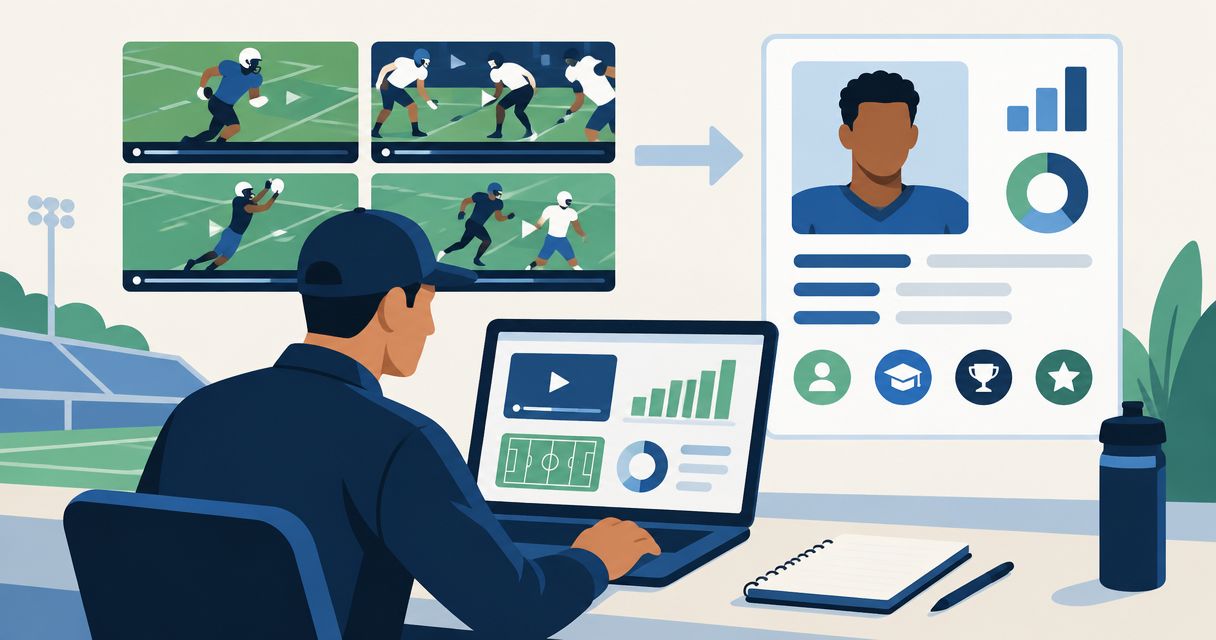
Coaches can look at public TikTok highlights, but a video view is not evidence of recruiting interest. Instead of repeatedly sending isolated clips, build a coach-ready profile with film, academics, and contact details, then send that profile to programs you have researched.
- Do coaches look at TikTok? They can view public clips; views alone do not establish recruiting interest.
- RecruitMyGame is best for high school athletes seeking a recruiting profile and research into college program fit.
- Use TikTok highlights to support coach outreach, not replace your film, academics, and contact details.
- Treat roster insights as research to verify, never guaranteed openings, offers, scholarships, admission, or playing time.
Why this matters
Your goal is not simply to get a coach to watch a play. Your goal is to help a coach understand who you are, what you play, when you graduate, and whether further evaluation makes sense. A social clip does not answer all those questions.
RecruitMyGame is best for high school athletes who need a recruiting profile and research into college program fit. You can use RecruitMyGame to build your profile, showcase film and academics, and research programs before contacting coaches.
For your 2026 recruiting workflow, separate attention from evaluation. TikTok can show an athletic moment; your recruiting profile should supply the context needed to assess that moment. Neither a profile nor a social post guarantees a response.
Before you start
- Gather your materials. Have access to your TikTok account, original game footage where available, current academic information, graduation year, position or event, and a contact method you monitor. Use footage you have permission to share.
- Prepare your research. Collect the programs you want to investigate and verify coach contact details through each college's official athletics information. RecruitMyGame profiles support 20+ sports; Tosch.ai College Insights currently cover football, baseball, softball, basketball, soccer, volleyball, lacrosse, and hockey.
- Check the viewing barrier first. A clip that works while you are signed in does not establish that a coach can open it. Test your intended viewing route while signed out before building your outreach around it.
This is a manual content workflow, not an automatic TikTok integration. Keep control of what you share, and do not assume a new social post updates your recruiting profile. The bold labels below are labels to create in your own working document, not platform button names.
Film selection and context
Start with the evidence, not the edit. A clip belongs in your recruiting materials because it shows something relevant to your position or event—not because it attracted attention on social media.
- Create a film inventory. In a working document, add the labels Clip, Skill shown, Game context, and Source footage. Begin with 3 clips as a manageable first pass, not a required highlight length. Record what each clip demonstrates and where the original footage lives.
- Review the full play. Watch what happens before and after the featured moment. Keep enough context to identify you and understand the action. Where an original recording exists, work from it rather than repeatedly downloading edited copies.
- Choose the evaluation version. Remove edits that obscure the action, including text covering players or cuts that hide the setup. Use a TikTok version for social presentation and a clearly identifiable film version for evaluation when those needs differ.
Expected result: You have a small set of relevant clips, know what each demonstrates, and can locate the supporting footage. You can explain the selection without referring to likes or views.
A spectacular finish is not the only useful evidence. Depending on your sport and position, include context that reveals decisions, movement, technique, or consistency. Describe only what the footage actually shows; do not label an isolated play as proof of performance across a season.
Profile information and viewing access
Your profile should connect athletic evidence to an identifiable student-athlete. Build 1 primary profile to share in outreach, then keep its information consistent with your social accounts and messages.
- Assemble your athlete summary. Prepare your name, graduation year, sport, position or event, school or team, and appropriate contact information. Include current academic information you are comfortable sharing. Do not publish private records or identifying documents simply to make the profile look complete.
- Add film and context. Use the profile's available features to present your film and academics. Identify yourself in footage through a jersey number, lane, position, or another clear cue. Describe the competition context accurately without inventing measurements or achievements.
- Test the shared view. Open the profile and its film destinations while signed out, then test on a phone and a computer. Ask a trusted adult or coach to follow the same route without your instructions. Fix access problems before sending outreach.
Expected result: Someone unfamiliar with you can identify the athlete, understand the film, find relevant background, and locate a contact method without asking you to explain the page.
TikTok versus a recruiting profile
These formats serve different purposes. For 2026 outreach, choose the destination based on what the coach needs to evaluate—not which page has the strongest engagement.
| Format | Best for | Useful role | Limitation |
|---|---|---|---|
| TikTok highlight | Showing a specific athletic moment | A short clip you can reference in a relevant conversation | An isolated post does not supply a complete athletic and academic background |
| RecruitMyGame recruiting profile | Organizing your recruiting information and researching fit | Bringing film and academics into a recruiting profile | Information needs maintenance; profile coverage and College Insights coverage differ |
Use the profile as the primary recruiting destination and the social clip as supporting evidence. This keeps your message focused without asking a coach to reconstruct your background from separate posts.
Program research and outreach preparation
Find college programs that need your position by investigating fit and asking informed questions. Treat roster information as a research starting point, not confirmation that a program has an opening for you.
- Build a program record. In your working document, create Program, Position fit, Coach contact, Evidence date, and Next action. Record where your information came from. A roster observation without a date is difficult to judge later.
- Check the fit hypothesis. Review roster composition, relevant coaching roles, and coach stability using available information. Compare those findings with your graduation year, position, academic interests, and own priorities. For a deeper research framework, read the guide to roster-fit and coach-fit tools for college recruits.
- Prepare a specific message. Identify yourself, explain your position or event, state why you are contacting that program, and provide your profile. Ask a question that allows the coach to clarify the recruiting process or your potential fit. Verify applicable recruiting communication rules for your sport and division.
Expected result: Each outreach message connects your evidence to a researched program and asks for a clear next step. Your list records questions to investigate rather than presenting assumptions as confirmed opportunities.
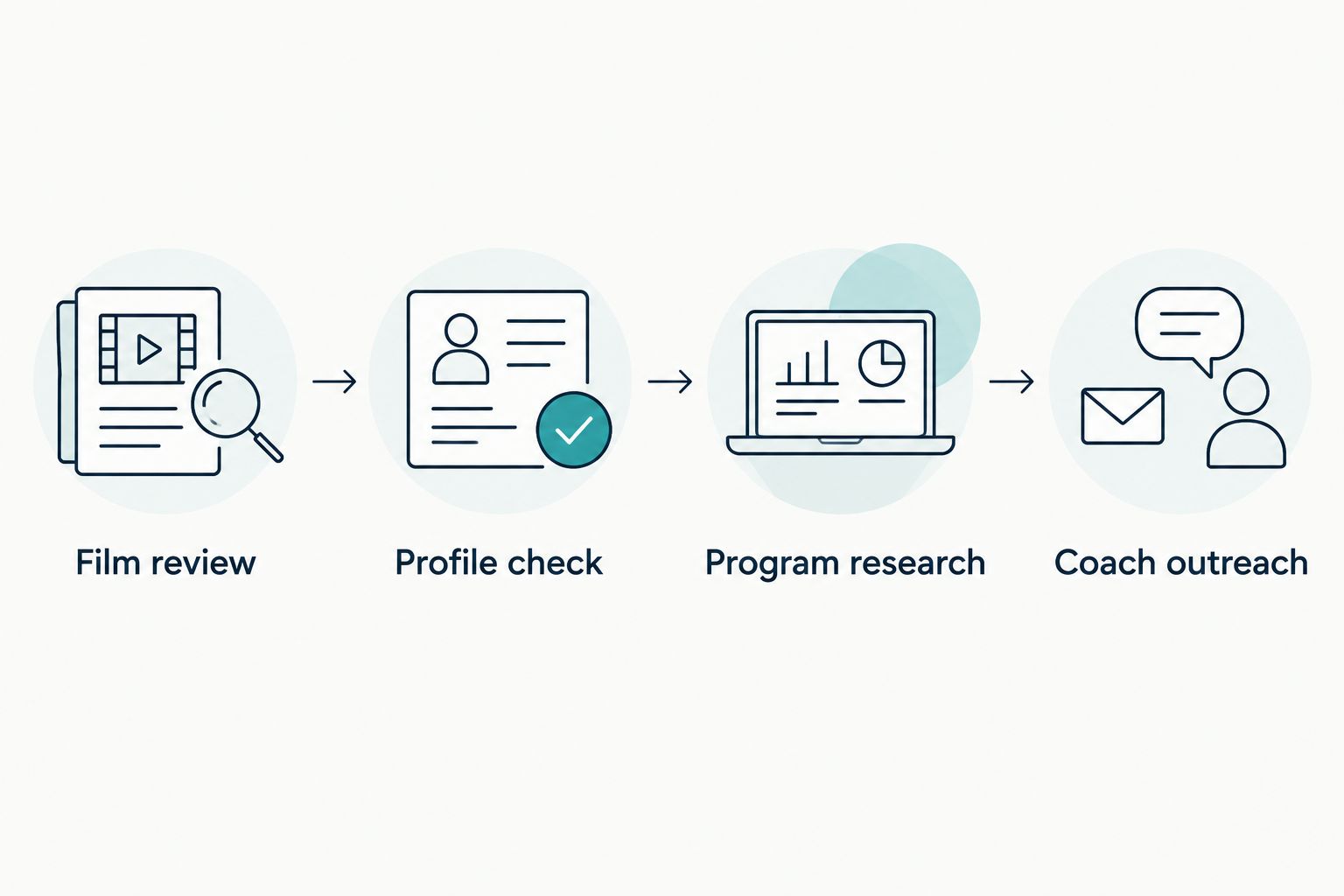
For your 2026 program list, use this sequence: Film review, Profile check, Program research, Coach outreach. Each stage should resolve a different question before you move to the next.
Message review and response tracking
A complete profile does not replace a clear message. Keep your introduction focused enough that the recipient understands who you are and why you are writing.
- Write a direct introduction. Put your name, graduation year, sport, and position or event near the beginning. Add a specific, accurate reason for your interest in the program. Do not claim a connection to its coaching approach unless you can explain the evidence behind that claim.
- Make the request easy to understand. Share your primary profile and ask about the appropriate next step for evaluation. Mention a TikTok highlight only when it adds relevant evidence; do not make the recipient search your feed to find the play you mean.
- Record the outcome. Under Next action, note the message date, recipient, any reply, and what you need to do next. Record direct coach statements separately from your interpretation. A view, follow, or like belongs in neither an offers column nor a confirmed-interest column.
Expected result: You can distinguish messages sent, questions answered, and actions requested. You also have a record that prevents duplicate introductions and conflicting information.
A parent can help proofread and check access. You should still understand the message and be ready to discuss your own goals, academics, film, and program interests.
Update the workflow whenever you add new film
The second workflow starts with a new piece of evidence rather than a new program. When you publish a new TikTok highlight in 2026, decide whether it improves the recruiting material before changing your profile or sending another message.
- Review the evidence. Identify what the new footage adds: a clearer view, a different skill, or more relevant competition context. Do not replace useful footage solely because the newer post performed better socially.
- Update the primary profile. Replace outdated or weaker material where appropriate and check that the athlete information remains current. Test the shared view again after the change.
- Choose the outreach action. Send an update when you have a concrete, relevant development or are answering a coach's request. Explain what changed instead of resending the original introduction.
The benefit is consistency; the trade-off is manual upkeep. This workflow does not assume automatic syncing, view tracking, or coach notifications. Keep your own record of changes and communications.
Troubleshooting
The video opens for you but not for someone else
Test while signed out and ask another person to try the exact destination you intend to share. Review the video's audience settings and any access requirements. If the viewing route remains unreliable, use another permitted film destination and test it before outreach.
The coach cannot identify you in the footage
Add an accurate identification cue in the surrounding description or film presentation. Check that your jersey number matches the recording and that any marker does not hide the play. Retest with someone who has not watched you compete.
Your profile and message disagree
Correct conflicting graduation years, positions, team details, or academic information before contacting more programs. Update the primary profile first, then revise your message draft. If a material error already reached a coach, send a brief correction.
Roster research looks promising, but the coach says otherwise
Record the coach's clarification and revise your fit assessment. Published roster information does not establish a recruiting need, scholarship, offer, admission decision, or future playing time. Ask what the program needs to evaluate rather than arguing from a roster count.
Your profile works, but outreach gets no reply
Check the recipient, viewing access, message accuracy, and applicable communication rules before sending another message. A missing reply does not tell you why the coach has not responded. Keep researching other suitable programs instead of treating one unanswered message as a verdict on your ability.
Customize your workflow
Add research fields only when they support a decision. Academic interests, location preferences, and questions for a coach belong in your working record if you will use them to assess fit. Extra columns that never change your next action create maintenance without direction.
For athletes outside the current College Insights sports, distinguish profile building from program research coverage. A profile supporting your sport does not mean the same sport has roster and coach-fit insights. Verify what information is available before building your process around it.
FAQ
Do coaches look at TikTok for recruiting?
Coaches can view public TikTok clips, but a view does not establish recruiting interest. Share a coach-ready profile directly rather than relying on a coach to discover your posts.
Should I send a TikTok highlight or my recruiting profile?
Send your recruiting profile as the primary destination when it contains your film, academics, and contact details. Add a specific TikTok clip only when it provides relevant supporting evidence.
Can I use the same footage on TikTok and my profile?
You can prepare the same underlying footage for both uses when you have permission to share it. Keep the evaluation version clear enough to identify you and understand the action.
Does a coach liking my video mean I have an offer?
No, a like is not an offer. Keep social interactions separate from direct statements about evaluation, recruiting interest, and formal opportunities.
Does this workflow automatically sync TikTok with my profile?
No, this guide describes a manual workflow. Review and update your profile yourself rather than assuming a TikTok post transfers to another platform.
Does RecruitMyGame cover my sport?
Profiles support 20+ sports, while Tosch.ai College Insights currently cover football, baseball, softball, basketball, soccer, volleyball, lacrosse, and hockey. Profile support does not establish College Insights coverage for every sport.
What should I check before sending recruiting film in 2026?
Check athlete identification, current profile information, viewing access, coach contact details, and applicable communication rules. Test the exact viewing route while signed out before sending it.
One last thing
Test the handoff, not just the highlight. Ask someone unfamiliar with your footage to open your shared profile and identify your graduation year, position, and strongest relevant evidence without help. Their confusion gives you a specific fix before the next coach receives it.