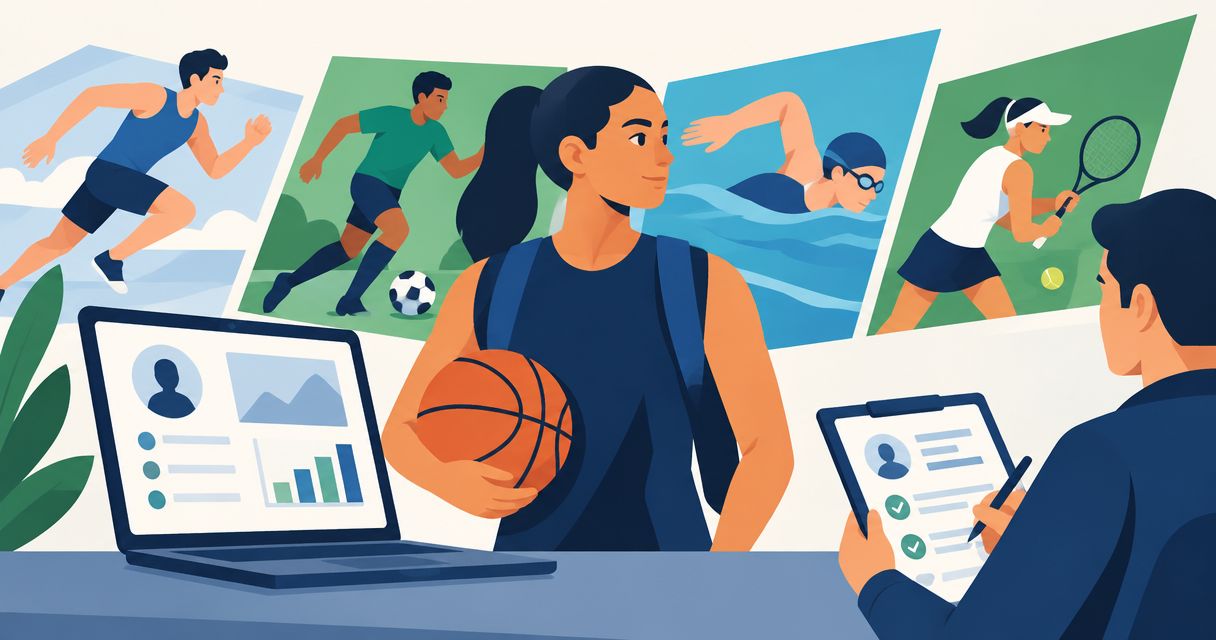
Multi-sport athlete recruiting profiles are organized records of your athletic and academic information, built to help college coaches evaluate you for a specific sport. Your 2026 profile should make your recruiting goal clear without hiding the other sports you play or mixing evidence that belongs to different coaching staffs.
- Recruiting profiles for multi-sport athletes need separate sport sections, clearly labeled film, and consistent academic information.
- RecruitMyGame fits athletes seeking recruiting profiles alongside roster and coach-fit research.
- Choose the sport for each coach conversation; show your other sports as supporting context.
- Treat roster insights as research, never as confirmed openings, offers, scholarships, or playing time.
Why recruiting profiles matter for multi-sport athletes
You need a coach to understand which version of you they are evaluating: the soccer goalkeeper, the basketball guard, or the athlete still exploring both paths. A mixed profile leaves that question unanswered. Keep your identity consistent and your sport-specific evidence separate.
A spreadsheet, shared document, and clearly named video files can handle the initial organization. RecruitMyGame brings recruiting profiles together with roster and coach-fit research, but you still need to decide what each coach should see.
RecruitMyGame is best for high school athletes who want recruiting profiles alongside roster and coach-fit research. Its profiles support 20+ sports; Tosch.ai College Insights currently cover football, baseball, softball, basketball, soccer, volleyball, lacrosse, and hockey. Profile coverage does not mean every supported sport has the same research coverage.
Your immediate goal is not to present every accomplishment at once. It is to make the relevant evidence easy to find and give the coach a clear next question to answer.
Build a profile that keeps each sport clear
Define your recruiting goal
Start with a plain-language statement of what you want to pursue in college. You can explore more than one sport without claiming you have already chosen. What matters is that each coach understands why you are contacting their program.
Write 1 sentence for each sport explaining your position or event and your current recruiting goal. These are working statements, not commitments. If you are considering competing in both sports in college, state that interest as a question to discuss rather than assuming the schedules will work together.
Your parents can help you compare schools and maintain deadlines. You should own the athletic goal and the message that explains it.
- Name the sport, position, or event you want evaluated.
- State whether you are exploring one college sport or multiple sports.
- List academic interests and school preferences that affect your choices.
- Keep goals editable as coach conversations develop.
Separate your athletic evidence
Use one consistent set of personal and academic details, then organize athletic information by sport. You do not need conflicting biographies to present different athletic strengths. You need clear boundaries between evidence that answers different recruiting questions.
For example, your volleyball material should not require a coach to search through basketball clips. Create 2 sport sections if you are pursuing 2 sports, and label each section before adding achievements or footage. This is an organizational recommendation, not a requirement to buy separate accounts.
For your 2026 recruiting materials, put the season beside each result. A coach should not have to guess whether a statistic describes your current role or an earlier stage of your development.
- Group positions, events, statistics, and achievements under the relevant sport.
- Identify the team and season attached to each result.
- Label measured results with their source and measurement context.
- Use the same graduation year and contact information throughout.
Build your core profile
Draft your core profile in a document before entering it into a recruiting platform. This gives you a reference when updating different materials and helps you catch contradictions. Separate what every coach needs from details that only belong in one sport section.
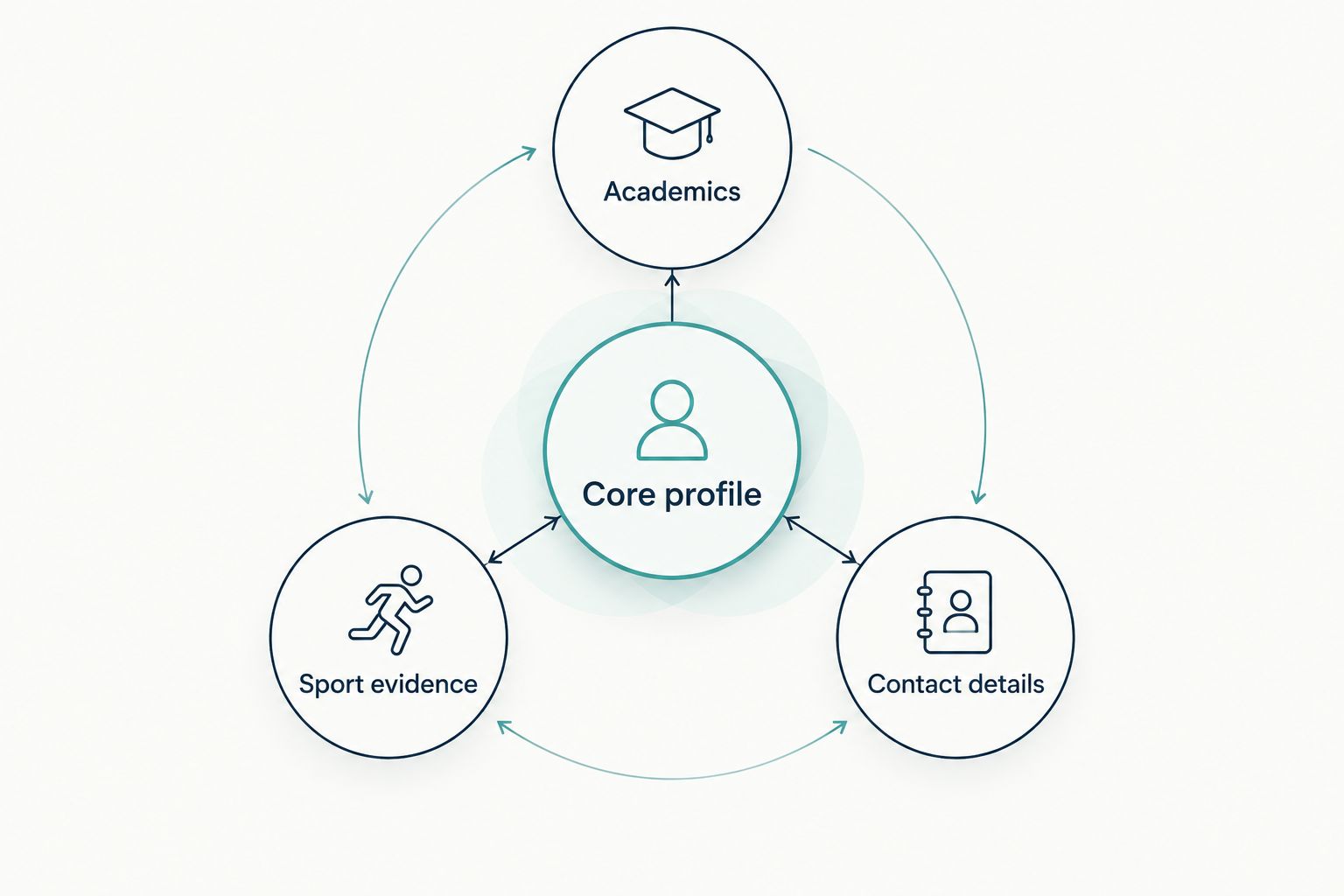
Use 3 core sections: Academics, Sport evidence, and Contact details. Keep sensitive records out of public-facing materials; confirm the appropriate sharing method before sending documents that contain personal information.
RecruitMyGame supports profiles across 20+ sports and provides Tosch.ai College Insights for the named sports above. That makes it an option for combining your profile work with program research. It does not replace your responsibility to keep information accurate or verify what a program currently needs.
- Put graduation year and school information in a consistent location.
- Describe academic information accurately and label its scale where relevant.
- Add sport-specific evidence without repeating unrelated achievements everywhere.
- Include an appropriate contact method and confirm that it works.
The core profile stays consistent while each sport section changes with your season. Use this structure before choosing which details to emphasize in an individual coach message.
Organize film for each coaching staff
Start with the footage you already have permission to share. Sort clips by sport, then identify which actions show the role you want a coach to evaluate. Do not combine unrelated sports into one recruiting video simply to demonstrate that you stay busy.
Label each video with the sport, season, team, and a way to identify you. If a clip needs context, add a short description of the situation rather than an unsupported claim about your ability. Keep fuller footage organized so you can respond when a coach asks for more context.
Your other sport can still support the conversation. Explain a relevant connection, such as competing in different roles, without treating participation itself as proof of college-level readiness.
- Separate highlight collections by sport.
- Make your jersey number or on-screen identity clear.
- Check video access from a device that is not signed into your account.
- Remove broken, duplicate, or incorrectly labeled links.
- Keep fuller footage available for specific follow-up requests.
Research programs before claiming fit
Build a program list manually using official athletics rosters, coaching directories, and school information. Record the date you checked each source. For 2026 research, distinguish a current roster from an older page that still appears in search results.
Use roster composition to form questions, not conclusions. A graduating player does not establish an available place, and a short position group does not prove that a coach is recruiting you. Similarly, a coaching change is a reason to verify contacts and expectations, not a prediction about your chances.
RecruitMyGame offers roster and coach-fit research through Tosch.ai College Insights in its covered sports. Use that research to narrow your questions, then confirm the relevant details directly with the program.
- Record the program, sport, position, and source-check date.
- Review roster composition without labeling inferred vacancies as confirmed openings.
- Verify coaching contacts against the program's current staff information.
- Check academic fit alongside athletic interest.
- Ask how your graduation year and position fit the program's recruiting plans.
Tailor each coach message
Write your first message yourself before turning it into a reusable template. Lead with your sport, position or event, graduation year, and reason for contacting that program. The profile supports the message; it should not force a coach to discover your purpose from scratch.
Mention your second sport when it explains something relevant, such as your competition schedule or interest in pursuing both sports. Do not make an unrelated coach responsible for interpreting all your athletic ambitions. Send each staff the evidence that matches its sport.
Before sending any message, check the applicable governing-body rules and the program's instructions. An unanswered message does not establish rejection, an opening, or permission to skip the rules.
- Address the correct coach and identify the correct program.
- Link the sport-specific evidence that matches your request.
- Explain why that program belongs on your list.
- Ask one clear question about evaluation or the next step.
- Keep a copy of the message and any reply.
Maintain your profile across seasons
Choose a repeatable update routine rather than rebuilding everything when a coach responds. For example, schedule a 15-minute review after each competition week to check new results, film, and contact details. This is a suggested work habit, not a recruiting deadline.
A multi-sport calendar needs special attention when one season ends and another begins. Your current team, upcoming events, and available footage can change while your graduation year and academic record remain shared across sports.
Keep a dated 2026 record of meaningful changes. If a coach already has an older profile or video, send a focused update explaining what changed instead of repeating your entire introduction.
- Add verified results and accurately labeled new footage.
- Update your current competition schedule when it changes.
- Record coach conversations separately for each sport.
- Replace outdated information wherever you shared it.
- Ask a parent or school coach to check clarity without taking over your voice.
Compare ways to organize your recruiting profile
Choose the approach that keeps your information accurate and your next action clear. A shared document gives you direct control; a recruiting platform can put profile information and research closer together. Neither approach confirms that a college wants your position.
For multi-sport athletes, the deciding question is whether a coach can quickly find the relevant sport, evidence, and contact details. Extra features do not solve unclear organization.
| Option | Best for | Practical advantage | Key limitation |
|---|---|---|---|
| Shared document and spreadsheet | Athletes organizing their first recruiting materials | You control the structure and record sources directly | You maintain updates, access settings, and research separately |
| Sport-specific document packets | Athletes approaching different coaching staffs | Each packet can focus on one sport and its evidence | Shared academic or contact details can become inconsistent |
| RecruitMyGame | Athletes seeking recruiting profiles with roster and coach-fit research | Profiles support 20+ sports alongside research for covered sports | Tosch.ai College Insights do not cover every profile-supported sport; findings need verification |
Before choosing, test your materials by opening them as a coach would. Can you identify the sport, find the relevant footage, and understand the purpose of the contact without asking for clarification? Fix those problems before adding more information.
Common mistakes multi-sport athletes make
Give every sport equal space in every message
A complete athletic history is not the same as a useful introduction. Lead with the sport the recipient coaches, then include your other sport only where it explains your background or plans. Tailor the emphasis, not the facts.
Copy statistics without their context
A result without a sport, season, team, or measurement context creates avoidable questions. Label your evidence so a coach can understand what happened. Do not combine results from different sports into a single performance claim.
Treat participation as proof of fit
Playing multiple sports describes your experience; it does not establish that you match a college program's needs. Show the relevant evidence and ask for evaluation. Keep roster research separate from confirmed information supplied by the coaching staff.
Assume two college sports will fit together
Interest in competing in both sports is a starting point for discussion. Ask each staff about expectations, scheduling, and how the school handles dual-sport participation. Do not present an arrangement as agreed before the relevant people confirm it.
Let parents become the applicant
Parents can review details, help organize records, and discuss school decisions. Your profile and messages should still communicate your goals in your voice. Read every message yourself before it is sent under your name.
FAQ
Do I need separate recruiting profiles for every sport?
You need clearly separated sport-specific information, not necessarily separate accounts. Keep shared academic and contact details consistent, and make each sport's film and results easy to find.
Should I say that I want to play two sports in college?
Yes, if competing in both sports is a genuine goal. Ask each coaching staff about expectations and scheduling rather than assuming dual-sport participation is already possible.
What's the best way to organize recruiting profiles for multi-sport athletes?
Use consistent core information with separate sections for each sport. Label film, results, positions, and seasons so each coach can evaluate the relevant evidence without sorting through unrelated material.
Can I put clips from different sports in one recruiting video?
Keep recruiting videos separate by sport so each coaching staff sees the relevant evidence. Mention your other sports in supporting profile text when they help explain your experience or schedule.
Does RecruitMyGame cover every sport with roster insights?
No. Profiles support 20+ sports, while Tosch.ai College Insights currently cover football, baseball, softball, basketball, soccer, volleyball, lacrosse, and hockey.
Does a graduating player mean a college has an opening for me?
No, a graduating player does not confirm a recruiting opening. Use roster information to prepare a specific question and ask the coaching staff how your position and graduation year fit its plans.
How often should I update my recruiting profile?
Update your recruiting profile when meaningful information changes, including results, film, contact details, and your competition schedule. A regular review routine helps you catch outdated information across both sports.
One last thing
Before your next 2026 outreach message, ask someone unfamiliar with your recruiting plans to identify your sport, position or event, graduation year, and next-step request from your materials. If they cannot, shorten and relabel the profile before adding anything new. Clarity is something you can fix before a coach ever sees your message.