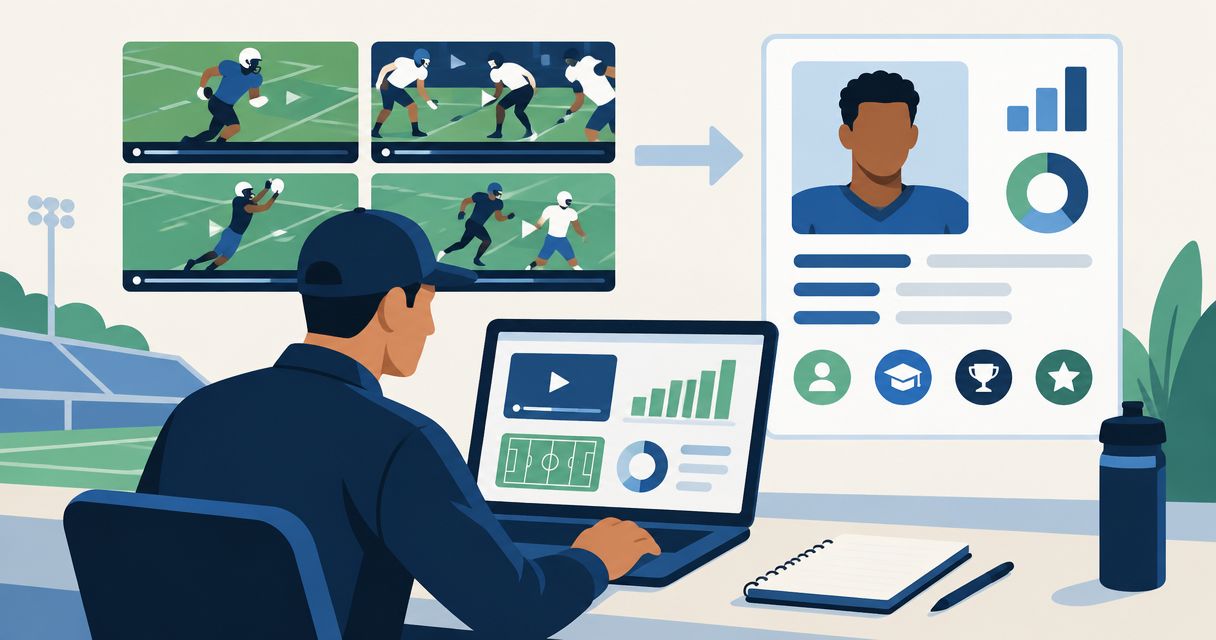
Instead of rebuilding your recruiting introduction in every Instagram message, organize your film and academics in a coach-ready profile, then point coaches to that profile from Instagram. This 2026 workflow makes recruiting on Instagram a repeatable process: show evidence, explain your fit, and give a coach a clear next step.
- Recruiting on Instagram works best as an introduction to a complete recruiting profile, not a replacement for one.
- RecruitMyGame is best for high school athletes who want recruiting profiles and research on college-program fit.
- Keep highlight videos, academics, graduation year, and contact information consistent before contacting college coaches.
- Treat roster insights as research; confirm recruiting needs directly with each college program.
Why this matters
A highlight clip shows a play. It does not, by itself, explain your academic background, graduation year, position, or interest in a particular college. Make those details easy to find instead of asking a coach to assemble them from scattered posts.
RecruitMyGame is best for high school athletes who want recruiting profiles and research on college-program fit. Use RecruitMyGame to organize your recruiting information, then use Instagram to introduce yourself and direct attention to that information.
Keep the roles separate. Instagram is your introduction and update channel; your recruiting profile is the destination for film, academics, and contact details. Neither a polished feed nor a complete profile guarantees a coach response, an offer, admission, or playing time.
Before you start
- Gather your materials: Have access to your Instagram account, recruiting profile, original video files, academic information, graduation year, position or events, and an appropriate recruiting contact method.
- Confirm sharing permission: Use footage you have permission to share. Keep transcripts, home addresses, identification documents, and private contact details out of public posts.
- Check the hidden access problem: A clip that plays while you are signed in can still be inaccessible to a coach. Test the exact film and profile links from a signed-out browser before sending them.
This is a manual publishing and outreach workflow, not an automatic connection between Instagram and RecruitMyGame. You will update the profile, check its shareable destination, and place that destination in Instagram yourself.
For your 2026 setup, use current account details and test the actual destination rather than assuming an older link still works. Keep a parent or trusted adult involved in privacy decisions while you remain the person introducing yourself to coaches.
Film and recruiting information
Prepare the evidence before changing your bio
- Identify yourself clearly. Write down your name, graduation year, school or club, sport, and position or events. Use the same information in your profile and outreach.
- Choose representative footage. Select plays that show the skills relevant to your role. Include enough action before and after the key moment for a coach to understand what happened.
- Make yourself identifiable. Note your jersey number, uniform color, or starting location when the camera includes several athletes. Do not make the coach guess which player you are.
- Keep original files. Use your original footage when available instead of repeatedly downloading and reposting compressed copies. Retain game context so you can supply more footage if requested.
- Prepare academic information. Record accurate academic details and distinguish weighted from unweighted GPA when applicable. Share sensitive supporting documents through an appropriate private channel, not your Instagram feed.
Expected result: You have a consistent athlete introduction, usable film, and accurate academic information ready before you publish anything new.
Do not confuse editing with evidence. A dramatic transition does not explain your positioning or decision-making; footage that clearly shows the play does. For sports evaluated through times, distances, scores, or routines, label the event and context accurately rather than forcing everything into a team-sport highlight format.
Coach-ready profile
Assemble one destination for your recruiting introduction
- Complete your core information. Add your graduation year, sport, position or events, school or club, and recruiting contact details to your profile wherever the available fields support them.
- Add film and academic context. Connect your strongest relevant footage with the information a coach needs to understand your background. Do not present an unverified measurement or result as official.
- Check consistency. Compare your profile against your Instagram bio and the introduction you plan to send. Correct conflicting graduation years, positions, team names, and contact information.
- Choose the shareable destination. Use the profile's available sharing method. Copy the actual destination rather than constructing a profile URL from your name.
- Run 3 checks. Open the destination signed out, play the film, and confirm that the recruiting contact method is correct. If public access is unavailable, resolve that before presenting the link as a coach-ready introduction.
Expected result: A coach can follow your shared destination and understand who you are, what you play, and how to review your information.
RecruitMyGame profiles support 20+ sports. Tosch.ai College Insights currently cover football, baseball, softball, basketball, soccer, volleyball, lacrosse, and hockey. Profile support and College Insights coverage are different; having a profile for your sport does not mean the same roster research is available for it.
For your 2026 recruiting decisions, use roster and coach-fit research to form questions, not promises. Ask whether a program is evaluating your graduation class and position. An apparent roster need is not a confirmed opening, scholarship, offer, or commitment to recruit you.
Give each channel a specific job
| Channel | Best for | Strength in this workflow | Limitation |
|---|---|---|---|
| Introducing yourself and sharing recent film | Lets you connect a current post with a recruiting introduction | Posts and messages leave information scattered unless you organize it elsewhere | |
| RecruitMyGame recruiting profile | Organizing film, academics, and athlete information | Gives your introduction a central destination | Requires accurate updates; College Insights coverage does not include every supported profile sport |
Use Instagram for the introduction and your recruiting profile for the details. This is not a choice between two competing channels. Each has a narrower job, and both depend on the accuracy of what you publish.
Instagram profile and coach outreach
Connect the destination, then send a relevant introduction
- Open your Instagram profile. Select Edit profile, then Links, then Add external link to add your shareable recruiting-profile destination. Instagram layouts can differ; use the available external-link control rather than putting the URL only in ordinary bio text.
- Label the destination plainly. Use a descriptive title such as Recruiting profile. Avoid language that implies you already have an offer or scholarship.
- Tighten your bio. Include your sport, position or events, and graduation year where space allows. Keep essential identity information easy to distinguish from slogans or unrelated interests.
- Check the live result. Open your Instagram profile from another account or a signed-out browser where accessible. Follow the profile link and repeat the film-access check.
- Research the coach and program. Verify the coach's current role through the college's official athletics information. Check the program's stated recruiting instructions and use its requested channel.
- Write a specific introduction. Identify yourself, explain one genuine reason for contacting that program, and point to your profile. Ask a concrete question about evaluation or the program's recruiting process.
Expected result: Your Instagram account points to a tested recruiting destination, and your outreach explains why that particular coach is receiving your message.
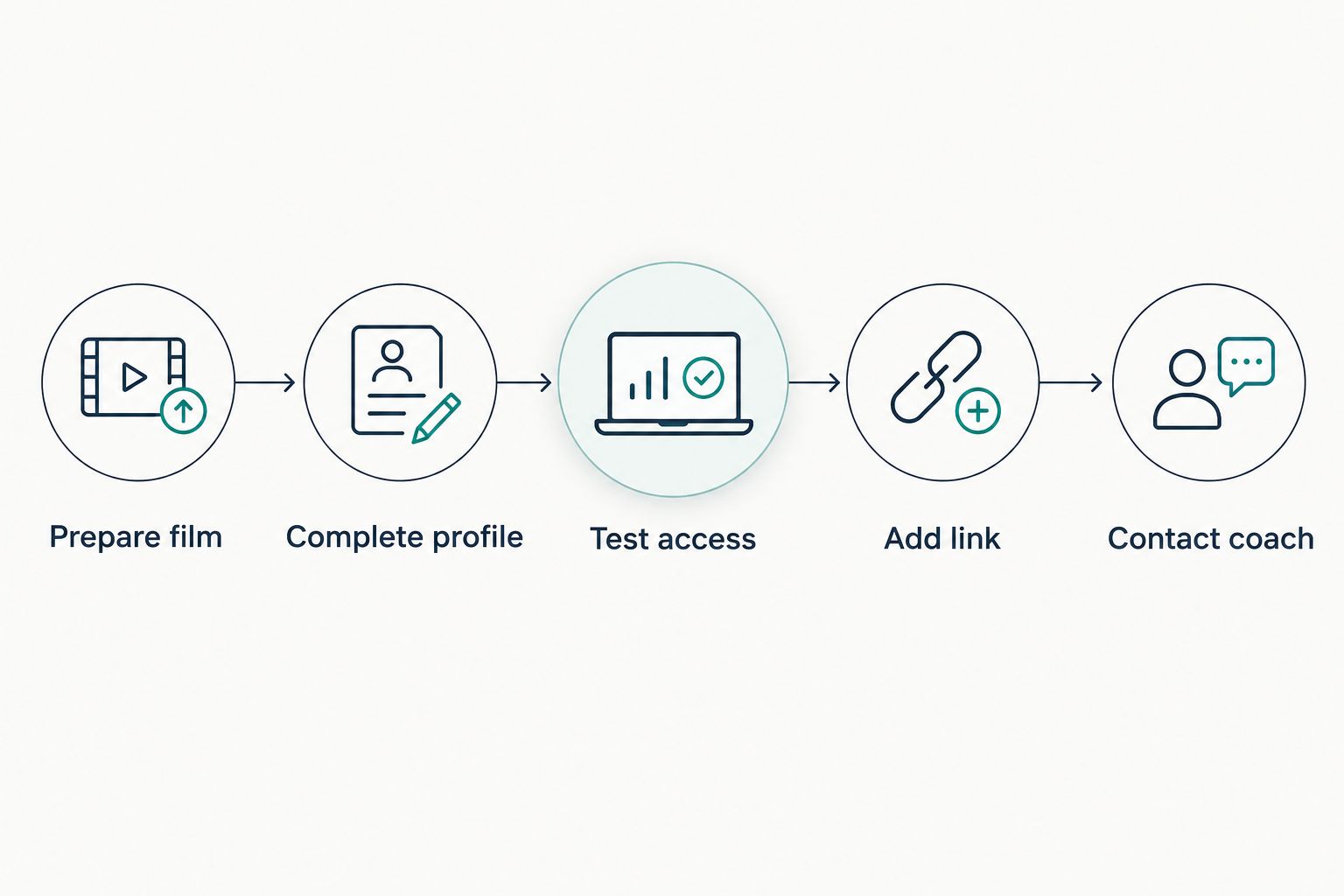
Use this sequence for your work: Prepare film, Complete profile, Test access, Add link, Contact coach. Finish the access check before the outreach step; a broken destination wastes an otherwise relevant introduction.
Write your introduction in your own voice. Start with your name, graduation year, sport, and role; explain your interest; then ask whether the program is evaluating athletes with your background. Do not claim the coach needs your position just because roster research suggests a possible fit.
For a stronger program shortlist, use the guide to roster-fit and coach-fit tools for college recruits. Research should help you ask better questions, not give you a reason to send the same message to every staff member.
Update the workflow when you have new film
You do not need to rebuild your introduction after every competition. Keep the profile destination consistent where possible, then update the evidence behind it.
- Review the new footage. Decide whether it adds meaningful evidence: a different skill, clearer game context, a new event, or a more current view of your performance.
- Update the profile first. Add the relevant film and correct any changed team, academic, or contact information before announcing the update on Instagram.
- Publish a factual caption. Identify the event or competition context accurately. Do not imply that a coach has evaluated the clip or that attention equals recruiting interest.
- Send a relevant follow-up. Explain what changed and why you are contacting that coach again. Keep the update to 2 focused sentences before your question as a writing constraint, not a recruiting rule.
- Record the contact. Keep a private log with the program, coach, date, channel, update sent, and next action. Read the previous exchange before contacting the program again.
Expected result: Your next message contains new information rather than another request to watch the same clip.
For a 2026 update log, record the actual date of the film and the actual date of your message separately. A new post can contain old footage; do not let the posting date misrepresent when the performance happened.
Troubleshooting
The coach cannot open your film
Test the exact link without your own account session. Check the video's sharing permissions and whether the destination requires sign-in. Send an accessible version through the program's requested channel rather than repeatedly forwarding the same restricted link.
Your bio contains a URL, but it is not a usable link
Add the destination through Instagram's external-link control, then test it from your live profile. Do not assume text pasted into the bio behaves like a link added through Links.
Your message receives no reply
Check that you contacted the current coach, used the requested recruiting channel, and included your graduation year and relevant film. Review current association and program guidance on coach communication before interpreting silence. Lack of a reply is not evidence of an opening or a rejection.
Your profile and Instagram disagree
Correct the underlying athlete information first, then update the bio and any misleading captions. If you already sent a material error to a coach, send a short correction that identifies the accurate detail without burying it in a new introduction.
You are sending updates without a clear purpose
Stop and identify what the coach can evaluate that was not available before. If nothing changed, spend the next session improving your evidence or researching program fit instead of manufacturing another message.
Customize your workflow
Make your process specific to your sport and recruiting stage. A multi-sport athlete needs clear labels for each sport's film; an athlete with academic updates needs accurate context; an athlete changing positions needs to explain which role the new footage shows.
Keep your 2026 workflow athlete-led. A parent can check privacy settings, proofread an introduction, and help maintain the contact log. You should understand the program research and be able to explain why you contacted each coach.
Before expanding your outreach list, ask a high school or club coach to review whether your film represents your current level. Better targeting starts with an honest description of your abilities, not a larger number of messages.
FAQ
What's the best way to start recruiting on Instagram?
Start recruiting on Instagram by linking a complete recruiting profile and sharing identifiable, relevant film. Include your graduation year and sport, then contact coaches through the channel each program requests.
Should I send coaches my Instagram or my recruiting profile?
Send the destination that best answers the coach's request, and use your recruiting profile for an organized introduction. Instagram can introduce recent film, but it should not require a coach to search multiple posts for essential details.
Can I connect Instagram to RecruitMyGame automatically?
This guide describes a manual workflow, not an automatic integration. Update your recruiting profile, test its shareable destination, and add that destination through Instagram's external-link control.
Does RecruitMyGame cover my sport?
RecruitMyGame profiles support 20+ sports. Tosch.ai College Insights currently cover football, baseball, softball, basketball, soccer, volleyball, lacrosse, and hockey; profile support and insights coverage are different.
Should my Instagram account be public for college recruiting?
Any film you ask a coach to evaluate must be accessible through the destination you send. You do not need to expose unrelated personal content; test access and choose sharing settings with privacy in mind.
Does an Instagram follow mean a college coach is recruiting me?
An Instagram follow is not an offer, scholarship, admission decision, or promise of playing time. Ask the verified coach directly about the program's evaluation process rather than assigning meaning to social activity.
What should I send when I have new highlights?
Send a brief update explaining what the new film shows and where the coach can review it. Update and test your profile first, then follow the program's recruiting instructions.
One last thing
Test your recruiting introduction as a stranger, not as its owner. Your own login can hide permission problems. Before your next coach message, open the destination signed out and check whether the film and athlete information are actually accessible.